ChatGPT Just Launched Business Hub. Here’s How To Get Your Home Service Business Listed And Verified.
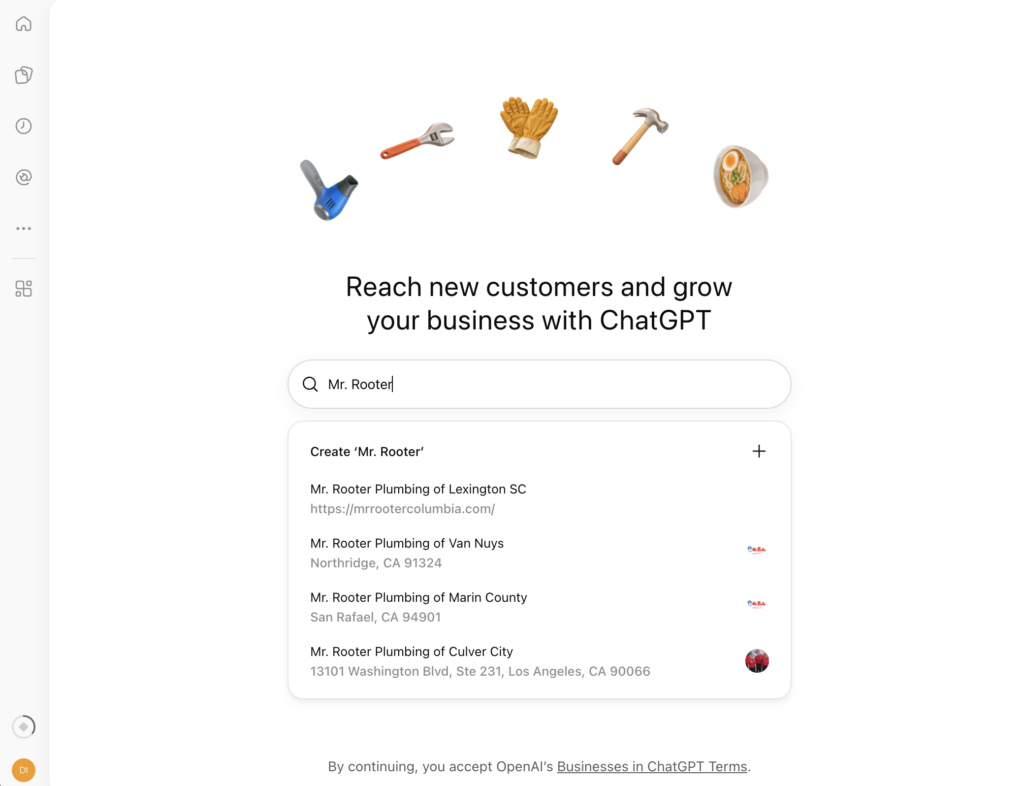
OpenAI opened Business Hub on November 10, 2026. For the first time, a plumber, HVAC contractor, or roofer can verify their business inside ChatGPT, control the facts it shares, and see how often it shows them to homeowners. Here’s who qualifies, how the add-and-verify flow works, and what to put in the 300 characters that matter most.
What OpenAI Launched (The Short Answer)
ChatGPT has its own business listings now.
On November 10, 2026, OpenAI launched Businesses in ChatGPT in beta and pitched it at the 1.2 billion people who use ChatGPT every week. The control panel is called Business Hub. It lives at chatgpt.com/business-hub and in the ChatGPT sidebar.
Here’s the bottom line for a home service owner:
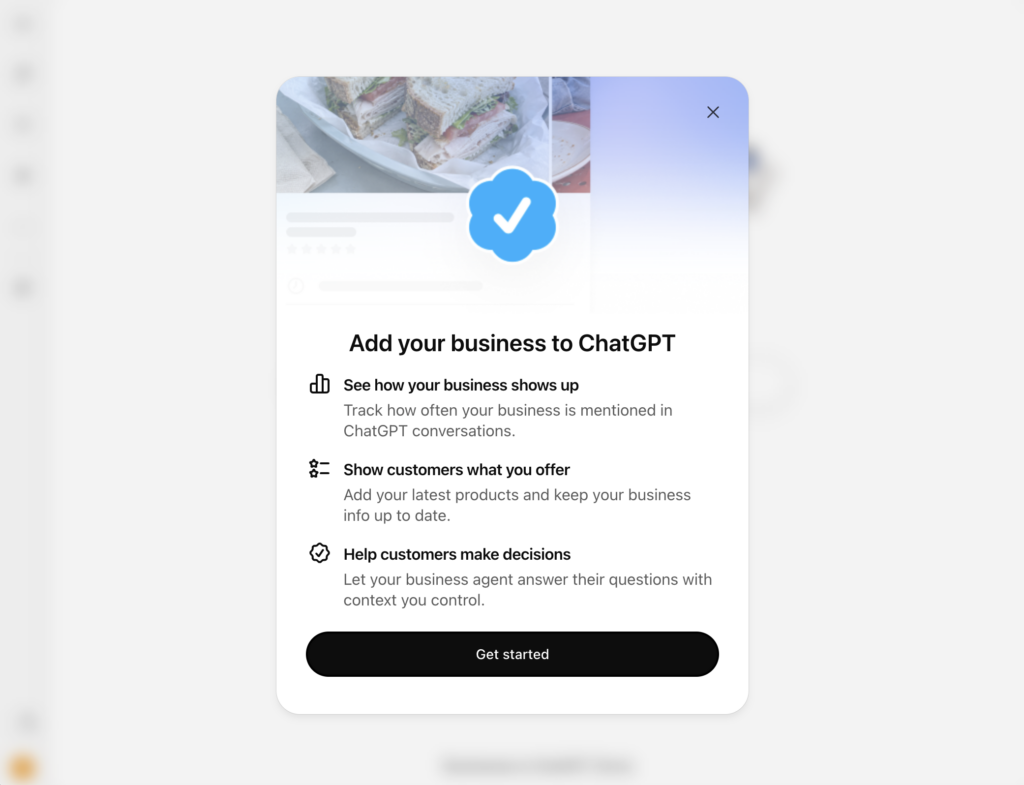
ChatGPT Business Hub is OpenAI’s dashboard where a business owner or authorized representative claims or adds a business, verifies it by phone, email, or a DNS record on the website, passes an identity check through Persona, and then manages the details ChatGPT shares while tracking mentions, profile views, and website clicks over a rolling 28 days.
It isn’t an ad product. Claiming doesn’t buy you placement. What it does is give ChatGPT verified facts about your company and give you the first numbers any AI assistant has reported about how it shows your business to customers.
OpenAI lists no fee to claim, and you don’t need an Ads account or a ChatGPT Enterprise agreement.
Why Contractors Can’t Sit This One Out
Homeowners already ask ChatGPT who to call. “Who’s a licensed electrician near me that can swap out a Federal Pacific panel?” “Which roofers in Plano handle hail claims?” ChatGPT answers with whatever it can piece together from the web: a phone number from a 2019 directory listing, a service area your website never spelled out, hours some data aggregator scraped years ago.
You haven’t had a vote in any of that. Until now.
Run the math on your own numbers. Say your average ticket is $1,200 and you close 60% of inbound calls. Every five homeowners who get a dead number or a competitor’s name instead of yours cost you about $3,600 in booked work. I’d bet most owners never see that loss, because it never shows up as a missed call. It just doesn’t happen.
There’s a second problem, and it’s a control problem. Barry Schwartz at Search Engine Roundtable said on launch day he’s nervous about people hijacking businesses on Business Hub. He’s right to be. Listings can lock, and a locked listing sends you to OpenAI support during a beta. You want your verified claim in place before anyone else tries.
The third problem is the one nobody talks about. A lot of contractors can’t tell you who controls their domain’s DNS. The web guy from 2016 registered it. Or the last agency did, under their own account. If that’s you, Business Hub’s DNS verification is going to surface it fast.
Who Qualifies For ChatGPT Business Hub
OpenAI’s setup guide sets the eligibility rules. Applied to a trades business, they break down like this:
- Ownership: You own the business or you’re authorized to represent it.
- Accounts and cost: No Ads account or Enterprise agreement required, and OpenAI lists no claiming fee.
- Location: The business has to be located where ChatGPT is available, and OpenAI has to support the verification method for it.
- Local businesses (the catch): OpenAI’s help article says local stores and restaurants can currently claim only an existing U.S. listing.
- New listings: If ChatGPT doesn’t find you, an eligible online business may see an option to add itself. Early reports from the add flow say Business Hub asks how customers usually interact with you: at a physical location, through an online store, or through a service where you go to the customer.
- Business Agents: Not for contractors yet. OpenAI is starting agents with eligible ecommerce and online service businesses in the U.S.
That “service” option is the one service-area businesses (SABs) should watch. A plumber who works out of a shop and drives to every job doesn’t fit the storefront model, and the beta hasn’t settled how every trade gets classified. Check Business Hub for an existing listing first. If you can’t find one, see which add options it offers you.
What Information Your ChatGPT Business Profile Holds
After your claim and your Persona check both clear, you can edit:
- Website URL
- Business description (the 300-character field, more on that below)
- Product or service category
- Logo and cover photo
- Contact phone number and email
- Delivery and return policies plus product feeds, which exist for retailers and mostly won’t apply to you
OpenAI’s Businesses in ChatGPT policy requires every detail to truthfully represent the business and stay current. That covers your name, category, address or service area, hours, contact details, and services. OpenAI can reject content, limit profile management, or remove a profile that breaks the rules.
The Insights Dashboard
The Insights tab is where this gets useful. Business Hub reports four numbers for the past 28 days:
- Mentions: For a local business, ChatGPT showing a result for your location counts as a mention, according to an OpenAI spokesperson quoted by Digiday. Nobody has to click.
- Profile views: How often people opened your business profile inside ChatGPT.
- Website clicks: Recorded clicks on links to your site. OpenAI’s own tooltip says clicks don’t confirm visits or conversions.
- Discovery topics: Common themes across conversations where ChatGPT cites your website.
You won’t see individual prompts or chats. OpenAI has said businesses don’t get access to either.
Most agencies will miss this next part. Business Hub shows the impression side, before the click. GA4’s AI Assistant channel shows the visits that land on your site. Put the two next to each other every month. A big gap between Business Hub clicks and GA4 sessions points to slow pages, broken landing pages, or tracking loss, and each of those has a fix.
How To Add Your Home Service Business To ChatGPT: Step By Step
Before You Start, Gather These
- DNS access. The login for wherever your domain’s DNS is managed (GoDaddy, Cloudflare, Namecheap, or your host). That’s not always where your website lives.
- A phone you can answer. Make sure a person can pick up a call or read a text on the business line during setup. If your main number runs through an answering service or a phone tree, the code may never reach you.
- ID and registration documents. Persona may ask for a government-issued ID, business registration details, and proof you can represent the business.
- Your official name and address. OpenAI asks that the name, address, and any registration or tax number you enter match your official records. If your trucks say “Smith Plumbing” and your registration says “Smith Mechanical Services LLC,” have the DBA paperwork ready.
- A drafted description. Write it before you start (see Step 4).
Step 1: Open Business Hub And Search For Your Business
Sign in to ChatGPT with an account the business owns. Not a technician’s personal login. Not your agency’s account. Open Business Hub from the sidebar, or go to chatgpt.com/business-hub, and search for your business by name.
If your listing shows up, select it and confirm the ChatGPT account that’ll manage it. Then verify through whichever method Business Hub offers you (phone, email, or DNS) and jump to Step 7. Once you’re approved, come back to Steps 4 and 5 to fill in your profile. If you see Contact support, your listing is locked and you’ll need OpenAI to release it.
Step 2: Add Your Business If ChatGPT Doesn’t Find It
No match? Look for the option to add your business. When Business Hub asks how customers interact with you, pick the answer that matches how you work. For most contractors, that’s the service option, since you go to the customer’s home. Then enter your website URL.
Step 3: Verify You Own Your Website With A DNS TXT Record
Business Hub has you prove you own the domain by publishing a TXT record. It’s the same kind of proof Google Search Console uses. Work through it in this order:
- Log in to the account where your domain’s DNS is managed.
- Add a new record and set the type to TXT.
- Copy the host (or name) and the value exactly as Business Hub shows them. At least one early tester saw a host named openai-business-claim.
- Leave the TTL at its default or Auto.
- Save it, give it a few minutes, then select Verify domain.
Two field notes. That same tester reported the verification token expires about 24 hours after Business Hub issues it, so do this in one sitting. And check that the record is live before you click verify. Google’s free Admin Toolbox Dig tool will show you, or run dig TXT on the full host if you’re comfortable in a terminal. Some DNS providers update in minutes. Others take hours.
DNS is the strongest route available to most contractors. It ties your ChatGPT profile directly to the domain that already carries your reviews, your service pages, and your entity signals.
Step 4: Write Your 300-Character Business Description
This free-text field is the information ChatGPT can share about you in conversations. You get 300 characters. Spend every one on a fact a homeowner, or a model, can check.
Put these in:
- Core services, named specifically (water heater replacement, not “plumbing solutions”)
- Service area, the cities or county you cover
- Year you started
- License type and number
- Insurance (licensed, insured, bonded where it applies)
- Qualifications, like a master plumber on staff, NATE-certified technicians, or GAF Master Elite status
- Availability, but only if you run 24/7 emergency calls
Leave out “best,” “#1,” “most trusted,” and anything else you can’t prove. The policy demands accuracy, and a model has no reason to repeat a claim it can’t verify anywhere else.
Take a fictional Dallas HVAC company. Its description runs 247 characters:
Licensed, insured HVAC contractor serving Dallas, Garland, Mesquite and Richardson since 2008. Furnace and AC repair, heat pump installs, ductwork and 24/7 emergency service. NATE-certified techs. TACLA license
#00000E. Same-day service available.
And a template you can fill in:
[Licensed and insured] [trade] serving [City 1, City 2, City 3] since [year]. [Service 1], [service 2], [service 3] and [service 4]. [Certification]. [License type] #[number]. [Availability].
One more thing. Make the description agree with your Google Business Profile description and your website’s About page. When three sources state the same facts about the same business, an AI system can trust them. When they conflict, it has to guess. We covered the Google side of this in the GBP and Gemini connection.
Step 5: Add Your Business Phone Number And Contact Email
Early testers report both fields are optional. Fill them in anyway.
For the phone, use the same primary number that’s on your Google Business Profile and in your website header. If you run call tracking, don’t drop a new tracking number in here. A different number in a different place is a conflicting signal, and conflicting signals cost you trust with every system that reads them.
For the email, use an address on your own domain, like [email protected]. A Gmail address doesn’t tie back to your website. And if you ever verify by email, OpenAI sends the code to the address associated with the business, so a domain inbox you control matters.
Step 6: Verify Your Phone Number By Text Message Or Phone Call
Business Hub gives you two options: a text message or an automated call. Choose one, select Get code, and enter the code you receive. Have the phone in your hand before you click.
At least one launch-day tester reported phone verification failing because OpenAI’s servers were overloaded. If it stalls, try again later in the week. DNS is your backup.
Step 7: Complete Identity Verification With Persona
This is the step that’s easy to miss. It’s also the one that unlocks everything.
OpenAI requires identity verification through Persona, a third-party verification service, before you can publish changes, view Insights, or build a business agent. The blue verified check shows up only after Persona approves you. A claim alone doesn’t earn it. If you’ve already verified some other way, look for Complete verification with Persona in your business overview.
The owner should do this step personally. Your ID goes to Persona, not to your marketing company.
Step 8: Check Every Field Before It Goes Live
OpenAI reviews your submission and emails you a decision or a request for more information. It hasn’t published a timeline.
Proofread everything before you submit. Early reviewers working from OpenAI’s setup documentation report that OpenAI Support can’t delete, unpublish, or hide a published profile, and only drafts can be deleted. Treat it like a sign on your truck. Get it right before it’s printed.
Once you’re approved, open your business in Business Hub and select Insights. Data may take time to show up. Barry Schwartz had nothing in his dashboard on launch day.
What Claiming Your Business Won’t Do
OpenAI is blunt about this. Its help documentation says claiming doesn’t guarantee more visibility or give you direct control over ChatGPT’s independent recommendations.
ChatGPT still builds its answers from the open web. That means:
- Your website has to be crawlable. OpenAI’s crawler documentation says sites that opt out of OAI-SearchBot won’t appear in ChatGPT search answers. Check your robots.txt, and check that your firewall or CDN bot settings aren’t blocking it.
- Your reviews and listings still carry the weight. Your Google Business Profile, Apple Maps listing, and directory citations feed the picture ChatGPT forms of you.
- Your service pages still have to answer real questions. Pages that state what you do, where, and for whom give ChatGPT something specific to cite.
Business Hub corrects the record. It doesn’t win the recommendation for you.
Confirmed Vs. Reported: Where The Facts Stand
Beta launches move fast, and a lot of what’s circulating this week is secondhand. I’m keeping two separate lists.
Confirmed by OpenAI:
- Businesses in ChatGPT launched in beta on November 10, 2026
- Verification runs through business phone, business email, a DNS TXT record, or Shopify, followed by Persona
- Persona approval is required to publish changes and view Insights, and it triggers the blue check
- Local stores and restaurants can currently claim only existing U.S. listings
- Claiming doesn’t guarantee visibility
- Recorded clicks don’t confirm visits or conversions
- Business Agents start with U.S. ecommerce and online service businesses
Reported by early testers, not yet documented by OpenAI:
- The 300-character cap on the description field
- Phone and email being optional fields
- The openai-business-claim TXT host and its roughly 24-hour expiry
- Published profiles being permanent
- The physical, online, and service options in the add flow
- How service-area businesses outside the U.S. get handled
We’ll update this post as OpenAI documents more of the beta.
What This Means For Home Service Businesses
Until this week, the only way to know whether ChatGPT mentioned you was to type prompts in yourself or pay a tool that runs prompts at scale and estimates. OpenAI now reports mentions and clicks from its own side. That’s a scoreboard you can hold an agency accountable to.
It’s also ChatGPT only. Business Hub tells you nothing about Gemini, Google’s AI Overviews, or Perplexity, so it replaces none of your other reporting.
And expect the ad pitch. Early coverage reports that a Business Agent can serve as a sponsored destination for ChatGPT Ads, and a claimed listing gives OpenAI a direct line to businesses that have never bought its ads. Claim the free listing. Evaluate the paid offer on its own numbers when it shows up.
How Digital Shift Sets Up ChatGPT Business Hub For Contractors
You can do every step above yourself. Plenty of owners will. The ones who get it wrong will find out the hard way, with a misclassified listing, a description that contradicts their Google profile, or a profile they can’t take back.
We run this as part of our local AI search optimization work for home service businesses across the U.S. and Canada. Here’s what that looks like:
- We audit how ChatGPT describes your business today and document every error before anything gets submitted.
- We sort out DNS access, publish the TXT record, and confirm propagation before verification.
- We write your 300-character description so it matches your Google Business Profile, your website, and your licensing records word for word where it counts.
- You own the ChatGPT account and pass the Persona check. We handle the rest with the access you grant us.
- We confirm OAI-SearchBot can crawl your site and fix whatever’s blocking it.
- Every month, we reconcile Business Hub Insights against your GA4 AI Assistant channel so you see what ChatGPT visibility turns into.
The listing is free. Cleaning up a bad one during a beta, with no delete button, isn’t. Book a strategy call and we’ll walk through your ChatGPT presence with you.
Frequently Asked Questions
Is ChatGPT Business Hub free?
OpenAI lists no fee to claim a business, and you don’t need an Ads account or an Enterprise agreement. Early coverage reports that Business Agents can be sponsored through ChatGPT Ads, so expect paid options to sit alongside the free listing.
Can a service-area business with no storefront get listed in ChatGPT?
Possibly, depending on what Business Hub offers your business. Search for an existing listing first. If you can’t find one, the add flow reportedly asks whether customers reach you at a physical location, through an online store, or through a service where you visit them. Most contractors fit that last option.
Does claiming my business make ChatGPT recommend it more often?
No. OpenAI’s help documentation says claiming doesn’t guarantee more visibility or control ChatGPT’s independent recommendations. Recommendations still come from your website, reviews, and listings across the web. Claiming makes sure the facts ChatGPT shares are yours.
What if my web developer or old agency controls my DNS?
Get the login back before you start. You’ll need it for the TXT record, and you shouldn’t run a business without control of your own domain anyway. If you’d rather not wait on DNS access, Business Hub may offer phone or email verification instead.
Can Canadian home service businesses claim a ChatGPT listing?
OpenAI says eligible businesses can claim wherever ChatGPT is available, but local stores and restaurants can currently claim only existing U.S. listings. Canadian contractors should search Business Hub for an existing listing and check which add options appear. Expect this to change as the beta expands.
How long does ChatGPT business verification take?
OpenAI hasn’t published a timeline. It reviews each claim and sends its decision, or a request for more information, by email. Persona identity verification adds its own review step on top of that.